 Skip to content

Every application attempts to protect the Forgot Password feature from abuse. After all, nobody wants their inbox flooded with endless reset emails. Rate limiting is supposed to prevent exactly that.
But sometimes, even solid security controls fail for the simplest reasons.
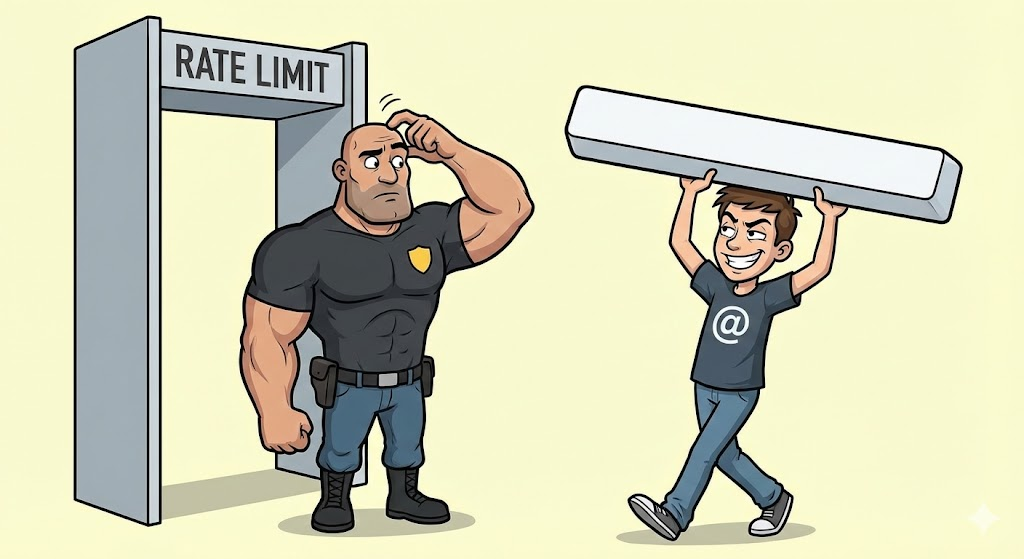
This vulnerability is one of those “wait… seriously? 🤨” moments where adding just a single space is enough to break the entire rate-limit logic and allow unlimited password reset attempts.
Here’s a breakdown of how the issue works, explained in a way that’s both practical and engaging.
The Unexpected Bug Hidden Behind a Space
The Forgot Password form appears straightforward:
Enter an email → hit submit → receive reset link.
Typically, rate limiting restricts repeated attempts after 5–6 submissions.
But here’s the twist:
👉 Add a space to the email field (or normalise the email character), and the server treats it as a completely new email address.
Examples:
- A standard space towards the end: victim@example.com
- URL-encoded space: victim@example.com%20
- Normalised character variations: victiM@example.com (Unicode normalisation tricks)
Each slight input variation makes the server believe it’s handling a new user.
Which means:
- Unlimited password reset requests
- Unlimited inbox flooding
What This Means for Real Users

1. Spam a victim with thousands of reset emails
Nothing triggers panic faster than waking up to hundreds—sometimes thousands—of password reset messages.
2. Stress the email infrastructure
High-volume email blasts can slow down or temporarily overwhelm the mail server.
3. Damage user trust
Users may assume their account is under attack or the platform has been compromised.
Even though it’s marked Low Risk, the real-world impact can become serious especially if the same weakness exists on the login endpoint, where bypassing rate limits enables:
- Password spraying
- Credential stuffing
- Account takeover (if weak passwords exist)
Stay tuned… the next upcoming blog will uncover an even more unique and interesting bug. Don’t miss it.
🛠️ How Attackers Can Exploit the Vulnerability
Step 1: Capture the Request
Open the Forgot Password form, enter any valid email (e.g., test@example.com), submit it, and intercept the request in Burp Suite or any other proxy tool. This exposes the raw POST request.
Step 2: Trigger the Rate Limit
Forward the captured request repeatedly, usually around six times. Eventually, the server responds with: 426 Too Many Requests

This confirms that rate limiting is active.
Step 3: Break the Rate Limit With a Space

Now comes the bypass. Modify the email field by:
- Adding a space
- Adding %20
- Normalising characters (Unicode tricks)
Then resend the request. Suddenly, the server behaves like:
“Oh, hello, a completely new email I’ve never seen before.”

Fig: Screenshot showing successful rate-limit bypass by appending a space to the email field.

Fig: Screenshot showing successful rate-limit bypass by normalising the email character.
The rate-limit counter resets instantly; this trick can be repeated indefinitely.
Step 4 — Automate It (Where the Real Damage Happens)

A simple script was written to:
- Generate multiple email variations using Unicode normalisation
- Send five requests per variation

The script ran for several hours and successfully bypassed the rate-limit logic the entire time.
The result?

Thousands of password reset emails landed in the victim’s inbox.
⚠️ Why This Vulnerability Matters
Even though the issue is categorized as Low Risk (unless present on the login panel), it can:
- Disrupt user experience
- Overload email infrastructure
- Cause reputational damage
- Enable automated abuse with minimal effort
Any attacker with basic scripting knowledge can exploit this.
How This Should Be Fixed
1. Normalise & Sanitise All Inputs
Emails must be trimmed, canonicalised, and normalised before any comparison or rate-limit logic is applied.
2. Add CAPTCHA After Abnormal Activity
Introduce a CAPTCHA after multiple rapid reset attempts to filter out bots.
3. Implement Cooldown Windows
Allow only one password reset email per account every 10–15 minutes, regardless of input variations.
Stay tuned… the next upcoming blog will uncover an even more unique and interesting bug. Don’t miss it.